 By Nion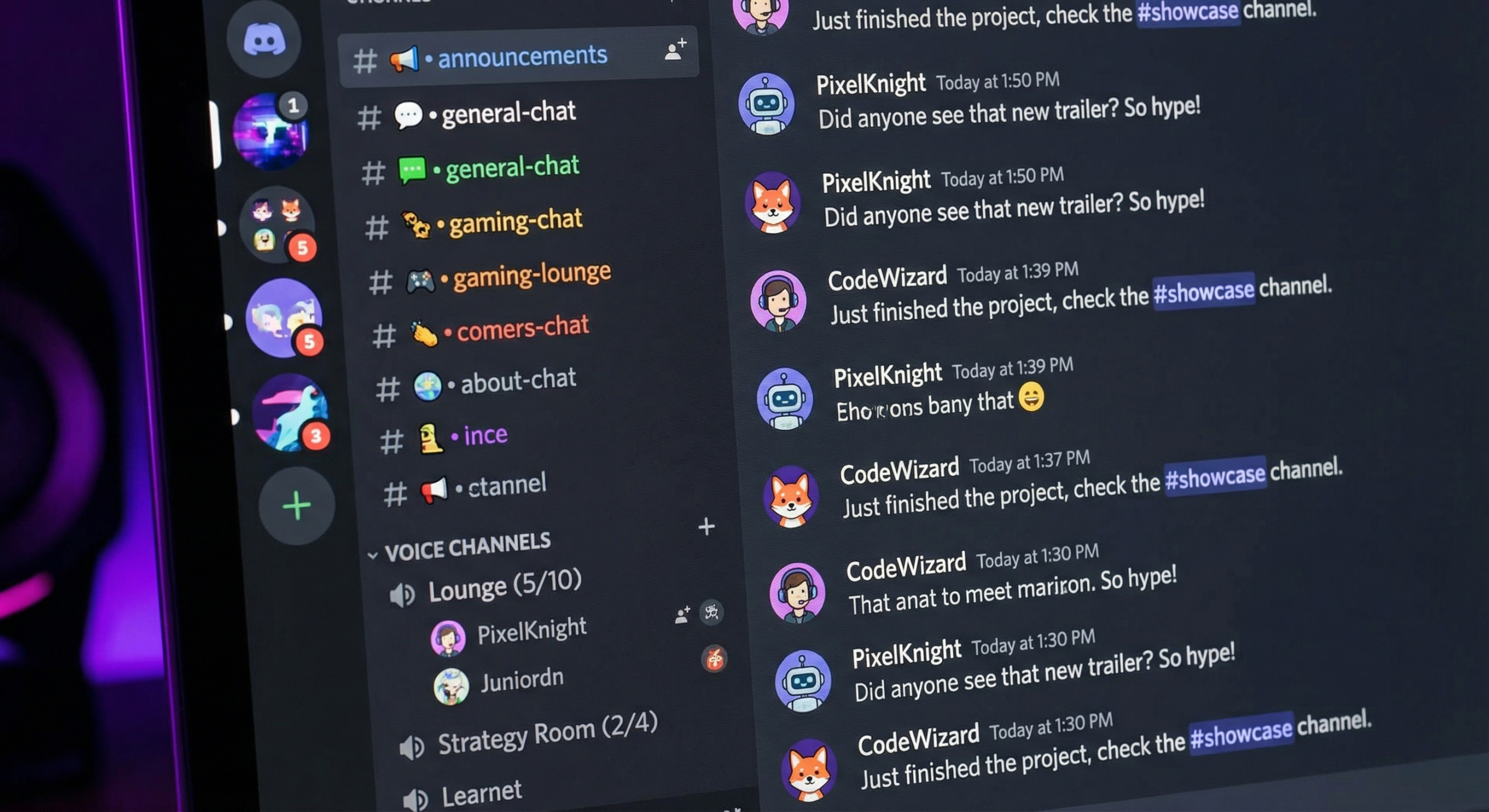
Discord has become the go-to platform for tight-knit communities around almost any topic: gaming, finance, fitness, creator brands, and software tools. With over 600 million registered accounts, it offers community builders a level of engagement that most social platforms cannot match. This guide walks you through everything you need to launch, grow, and sustain a Discord community from your very first member.
Why Discord Is the Right Platform for Community Building in 2026
Most social platforms are built for broadcasting to an audience. Discord is built for conversation between members. That structural difference produces higher engagement rates and longer time-on-platform than feed-based networks.
The Growth of Discord Beyond Gaming
Discord started as a gaming chat tool but has expanded far beyond that niche. The fastest-growing servers in 2026 cover personal finance, entrepreneurship, AI tools, fitness, and brand fan clubs. The platform’s channel structure, voice rooms, and bot ecosystem make it suitable for virtually any community type.
Non-gaming servers now account for the majority of new server creation. Brands, creators, and educators use Discord to build communities where followers become active participants rather than passive viewers.
What Makes Discord Different From Other Community Platforms
Discord offers real-time conversation, organized channels, voice and video rooms, and powerful permission controls without a monthly fee. Competing platforms like Slack focus on workplace teams. Telegram favors broadcast-style channels. Circle requires a paid subscription. Discord’s bot ecosystem handles moderation, onboarding, role assignment, polls, and giveaways. No other free community platform gives you that level of customization.
Setting Up Your Discord Server the Right Way
A well-structured server is the difference between a community that feels alive and one that feels chaotic. Get the foundation right before inviting your first member.
Choosing Your Server Structure and Channel Layout
Organize your channels into categories and keep the total number manageable. New members who see 30 channels feel overwhelmed and disengage. Start with five to eight channels and add more as specific needs emerge from real conversations.
A strong starting structure includes a welcome channel with rules and an introduction prompt, a general chat, two or three topic-specific channels, a resources channel for curated links, and a voice channel. Keep your rules short and specific. Long rule lists go unread.
Essential Bots and Integrations To Install First
Three bots cover most of what new servers need. MEE6 handles automated moderation, welcome messages, and role assignment. Carl-bot adds advanced automoderation, reaction roles, and scheduled messages. Arcane tracks member leveling and engagement streaks, rewarding your most active members with visible status.
Set up reaction roles in your welcome channel so new members self-select their interests. A member tagging themselves as “beginner” versus “advanced” gets routed to relevant channels automatically, which reduces noise in your general chat.
Growing Your Discord Community From Zero Members
The hardest part of building a Discord community is getting from zero to your first hundred active members. Empty servers feel abandoned. Your early growth strategy determines whether you break through initial friction or stall out.
How To Get Your First 100 Members
Start with your existing audience. If you have an email list, a newsletter, or any social following, announce your Discord first. Offer a specific reason to join: early content access, a live Q&A, or exclusive resources available only in the server.
List your server on Discord discovery directories. Disboard.org and Discord.me let anyone browse servers by topic. Write a description that states exactly who the server is for and what members get from joining. A specific promise beats a generic tagline every time. “Join 500 indie hackers sharing weekly revenue updates” outperforms “a community for entrepreneurs.”
Cross-Promoting Your Server on Other Platforms
Every piece of content you publish is a potential Discord recruitment touchpoint. Add your invite link to your YouTube descriptions, email signature, newsletter footer, and social bios. Pin a post about your Discord to the top of your Twitter or Instagram profile.
Partner with servers in adjacent niches. Find communities that share your target audience but do not compete with your content. Reach out to the server owner, offer to cross-promote, and ask for the same in return. One well-placed announcement in a related server can drive more qualified members than weeks of organic search.
Community Platform Comparison: Discord vs. Alternatives in 2026
Here is how Discord compares to other community platforms across the criteria that matter most for community builders:
| Platform | Best For | Free Plan | Real-Time Chat | Voice Rooms | Bot / Automation |
|---|---|---|---|---|---|
| Discord | Engaged niche communities | Yes (full featured) | Yes | Yes | Excellent |
| Slack | Professional and work teams | Limited (90-day history) | Yes | Yes (Huddles) | Good |
| Telegram | Broadcast-style channels | Yes | Yes | No | Good (bots) |
| Circle | Paid membership communities | No (paid only) | Limited | Yes | Limited |
| Geneva | Mobile-first friend groups | Yes | Yes | Yes | Limited |
| Reddit (subreddit) | Open topic discussion | Yes | No (asynchronous) | No | Limited |
How To Keep Members Engaged and Reduce Churn
Growth gets members in the door. Engagement keeps them there. Most Discord servers lose the majority of new members within the first week because they have no structured onboarding and no reason to return.
Onboarding New Members Effectively
The first five minutes a new member spends in your server determine whether they become active contributors or silent lurkers. Use MEE6 or Carl-bot to trigger an automated welcome message that tells new members exactly what to do: introduce themselves, pick their roles, and check the resources channel.
Ask a simple icebreaker question in your introduction channel. “What brought you here and what are you working on?” generates more genuine conversation than a generic “introduce yourself” prompt. Existing members who respond to introductions create a welcoming atmosphere for everyone who joins after them.
Running Events, Challenges, and Exclusive Content
Regular events give members a reason to show up on a predictable schedule. Weekly voice chats, live Q&A sessions, and content-sharing threads create recurring engagement hooks. A weekly event that runs every Tuesday at 7pm becomes part of your community’s rhythm. An occasional event that happens irregularly gets ignored.
Exclusive content and early access are your strongest retention tools. Share content in your Discord before it goes anywhere else. Give members first access to beta products or behind-the-scenes context not available publicly. Members who feel they get something unique have a concrete reason to stay.
Common Discord Community Mistakes To Avoid
Most Discord servers that fail do so for the same predictable reasons. Knowing these mistakes before you launch saves you weeks of rebuilding.
Launching Without a Clear Niche or Promise
A server with a vague purpose attracts nobody. “A community for people who like tech” is not a niche. “A server for indie developers building their first SaaS” is. The more specific your positioning, the easier it is to find your first members and the higher your join-to-stay rate.
Write your one-sentence value proposition before you set up a single channel. Who is this for? What do members get that they cannot get elsewhere? If you cannot answer both questions clearly, refine your niche before you launch.
Ignoring Moderation Until Problems Appear
Most server owners set up no moderation tools until someone spams or harasses another member. By then, damage is done. Active members disengage when communities feel unmoderated. Install automoderation bots on day one, set clear rules in your welcome channel, and assign a moderator role to a trusted member once you reach 50 people.
Respond quickly to rule violations rather than letting bad behavior linger. How you handle the first few moderation moments sets your community’s culture. Members watch how you respond and decide whether the server is worth their time based on what they see.
Start Building Your Discord Community Today
A thriving Discord community does not require a massive audience. It requires a specific niche, a structured server, reliable onboarding, and a consistent cadence of events and exclusive content. Most successful Discord communities started with fewer than 20 people who genuinely valued what the server offered.
Set up your server structure today, install your core bots, write your value proposition, and share your invite link with your existing audience. Build the first hundred relationships well and they become the foundation that attracts the next thousand.
Frequently Asked Questions
How do I start a Discord community from scratch?
Create a free Discord account, start a new server, and set up five to eight channels organized into categories. Install MEE6 or Carl-bot for moderation and welcome messages, set up reaction roles for member self-sorting, and list your server on Disboard.org. Announce it to your existing audience on other platforms to get your first members.
How many members does a Discord server need to feel active?
A server feels active when it has consistent daily conversation, not a large member count. Twenty engaged members posting daily feel more alive than a 1,000-member server where nobody talks. Focus on engagement quality over raw numbers in your early phase and invite people with a genuine reason to participate.
How do I grow my Discord server fast in 2026?
List your server on Disboard.org and Discord.me with a specific, benefit-driven description. Announce it to your existing email list or social following. Partner with adjacent servers for cross-promotional shoutouts. Post your invite link consistently across every platform where you have an audience.
What bots should every Discord server use?
Start with MEE6 for automated moderation, welcome messages, and member leveling. Add Carl-bot for reaction roles and scheduled announcements. Arcane works well for engagement tracking and activity-based rewards. These three bots handle most of what growing communities need without complex technical setup.
How do I keep Discord members from going inactive?
Run weekly recurring events that give members a reliable reason to return. Share exclusive content before publishing anywhere else. Use your onboarding flow to get new members posting immediately rather than lurking. Acknowledge active members through leveling systems or shoutouts. Consistency and exclusivity are your two strongest retention levers.
Is Discord free to use for community building?
Yes. Discord’s free plan includes unlimited message history, voice and video channels, and full bot integration. Discord Nitro adds server boosts that unlock larger file uploads, higher video quality, and more emoji slots. Most communities do not need Nitro until they have a few hundred active members and want those quality upgrades.
What is the best niche for a Discord community in 2026?
The best niche is one where a passionate group shares a common interest and lacks a dedicated community hub. Strong performing niches include indie software development, personal finance, AI tools, niche fitness methods, and creator fan communities. The more specific the niche, the easier it is to attract and retain the right members.