By Pauline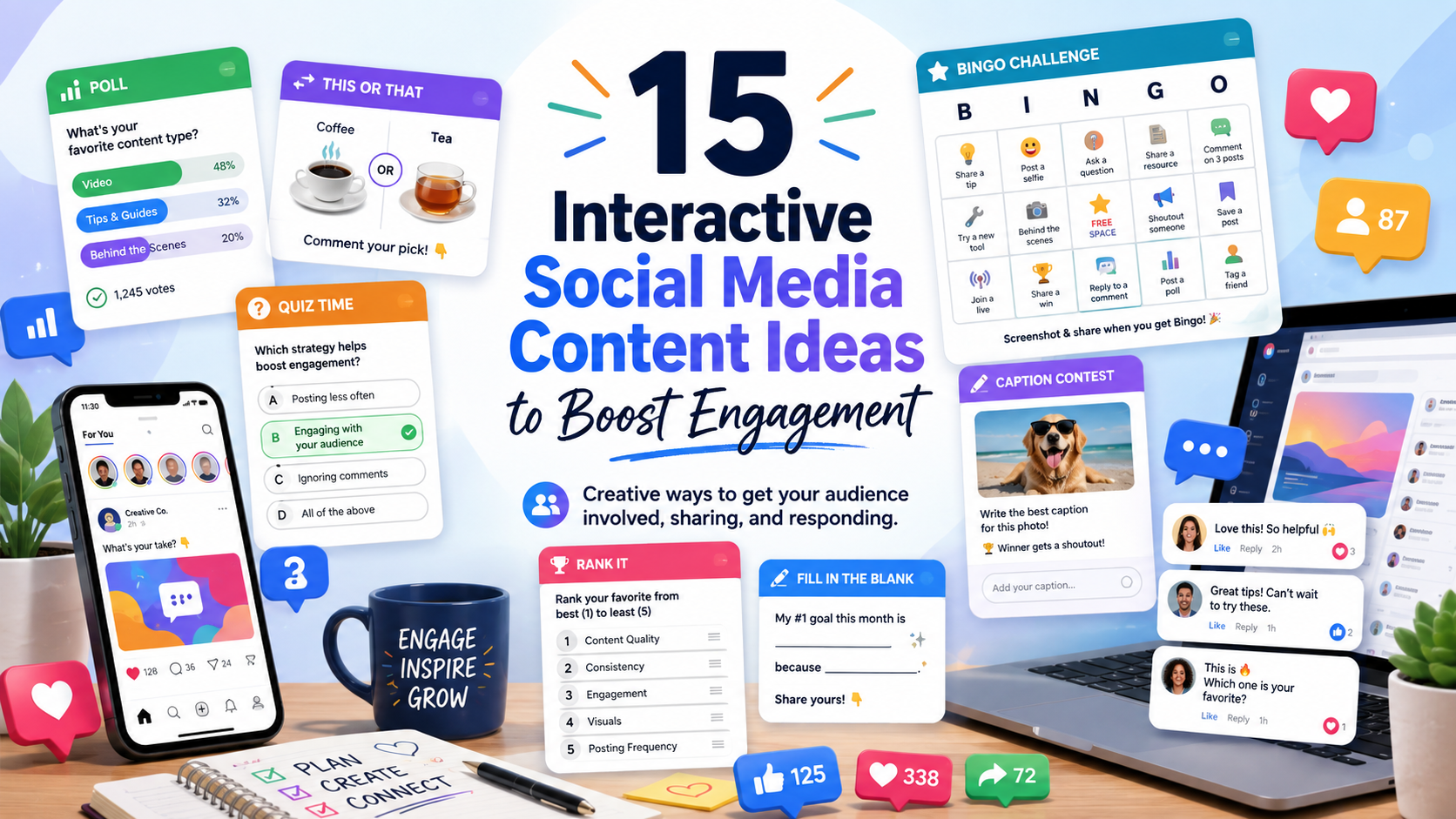
Getting people to see your social media posts is one challenge.
Getting them to actually do something is another.
A person can scroll past a photo, read a caption, watch half of a video, and disappear without leaving any indication that they were interested. Interactive content changes that dynamic because the audience has a role to play.
They can vote. Guess. Choose between two options. Fill something out. Answer a question. Complete a challenge. Share their own version of your post.
That small shift from “watch this” to “participate in this” can make a social media account feel much more like a community.
It can also give you useful information about your audience. A poll can tell you what followers want to see next. A question can reveal a problem worth creating content about. A challenge can show you which followers are willing to participate instead of just consume.
SocialMeep has previously discussed polls, surveys, user-generated content, and conversations as ways to better understand an audience and strengthen social media engagement. The important part is to use these formats because they add something to the content, not simply because you want another comment or like.
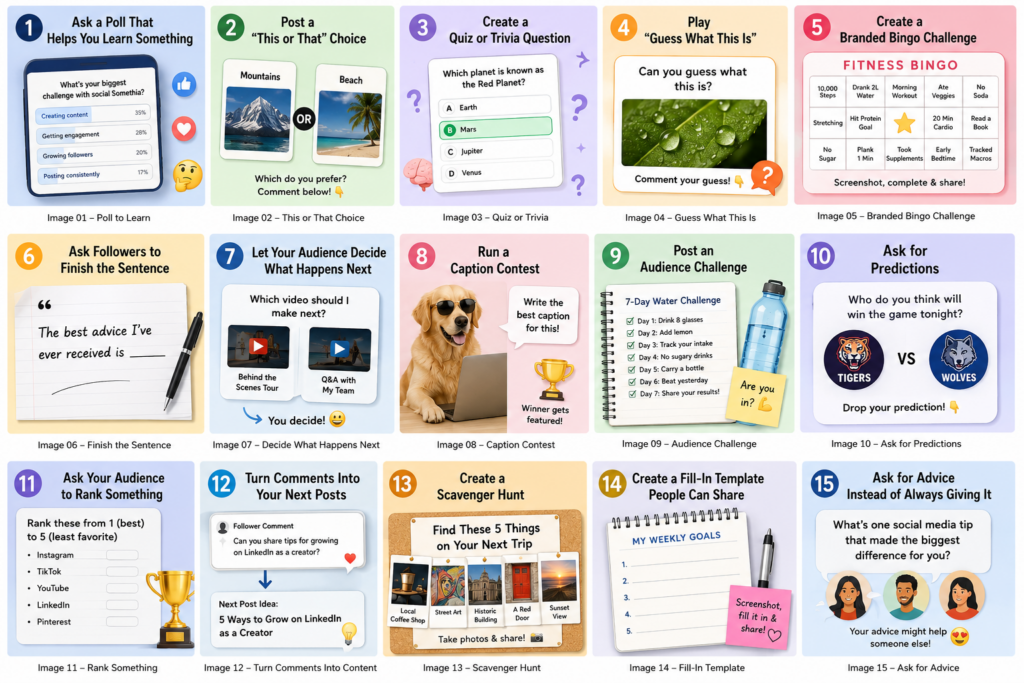
If your feed is starting to feel repetitive, here are 15 interactive social media content ideas you can actually put into practice.
1. Ask a Poll That Helps You Learn Something
Polls are one of the easiest forms of interactive content because participating requires almost no effort.
Someone does not need to think of a clever comment. They just choose an answer.
The mistake is asking questions that have nothing to do with your audience or business.
“Coffee or tea?”
That might get votes, but what are you going to do with the information?
A better poll gives you an answer you can use.
A marketing consultant could ask:
What’s your biggest problem with social media right now?
The choices might be finding content ideas, getting engagement, creating videos, or posting consistently.
A fitness coach could ask whether followers struggle more with nutrition, motivation, strength training, or finding time to exercise.
A travel account might ask followers which destination they want covered next.
Now the poll is doing two things at once. It creates interaction today and helps you decide what to publish tomorrow.
LinkedIn specifically describes polls as a way to gather perspectives, understand opinions, and start conversations. The platform also recommends following up on poll responses rather than treating the vote as the end of the interaction.
The same basic principle applies anywhere you can run polls: ask something relevant, look at the answers, and use the result.
2. Post a “This or That” Choice
“This or That” is even simpler than a poll.
Give people two choices and ask them to pick one.
For a fashion account:
Sneakers or boots?
For a travel account:
Mountains or beach?
For a restaurant:
Pizza or tacos?
For a social media marketing account:
Instagram Reels or TikTok?
This format works because people immediately understand what they are supposed to do. There is almost no friction.
But you can make it more useful by making the choices more specific.
Instead of:
Instagram or TikTok?
try:
If you could only use ONE platform to grow a new business in 2026, would you choose Instagram or TikTok? Why?
Now you have a choice plus a conversation.
You can use the format in Stories, regular feed posts, short videos, community posts, or even a carousel containing several rounds.
A travel account could create ten slides:
Hotel or Airbnb?
City break or road trip?
Window seat or aisle?
Carry-on only or checked bag?
Followers can keep making choices as they move through the content.
Simple does not necessarily mean boring.
3. Create a Quiz or Trivia Question
Quizzes give followers a reason to stop scrolling because there is something to figure out.
The question can be educational:
Which country has the longest coastline in the world?
It can test knowledge about your industry:
Which of these is NOT a Google ranking factor?
Or it can be purely entertainment:
Can you identify this movie from three emojis?
The best quiz questions usually have an answer that is possible to work out but is not immediately obvious.
If the answer is ridiculously easy, there is no challenge.
If it is so obscure that almost nobody knows, people may not bother participating.
You can reveal the answer later in the same carousel, at the end of a video, or in a follow-up post.
For educational brands, quizzes are particularly useful because the interaction itself becomes part of the content. A financial educator can test common money misconceptions. A language-learning account can ask followers to choose the correct translation. A fitness creator can ask which muscle a particular exercise primarily targets.
Do not stop after revealing the answer.
Explain it.
The explanation is often where the actual value of the post lives.
4. Play “Guess What This Is”
Instead of asking a trivia question, show people part of something and make them guess.
A photographer can show an extreme close-up of an everyday object.
A travel account can post a cropped landmark and ask followers to name the city.
A food business can show three ingredients and ask people to guess what is being made.
A software company can show a tiny portion of a new feature before announcing it.
You can also use silhouettes, blurred images, zoomed-in pictures, distorted audio, emojis, or a series of clues.
This format is useful because the visual itself creates curiosity.
You do not need a long explanation before someone understands the challenge.
For short-form video, reveal more of the image every few seconds until the answer becomes obvious. For Stories, post the clue first and reveal the answer in the next Story.
Just make sure there is a satisfying reveal. Making people guess and never clearly giving the answer is more irritating than engaging.
5. Create a Branded Bingo Challenge
Bingo is an unusually flexible social media format because the squares can represent almost anything.
Instead of traditional numbers, you fill the board with experiences, habits, goals, opinions, products, places, or challenges related to your niche.
A fitness account could create:
Fitness Bingo
The squares might include “walked 10,000 steps,” “tried a new exercise,” “did 20 push-ups,” “stretched for 10 minutes,” or “worked out before breakfast.”
A book account could make Reader Bingo, with squares such as “finished a book in one day,” “bought a book because of the cover,” “read past midnight,” and “cried while reading.”
A travel creator could make Traveler Bingo.
A college account could make College Student Bingo.
A social media marketing account could make Social Media Manager Bingo, including painfully familiar squares such as:
“Posted something with a typo.”
“Client asked to make the logo bigger.”
“Checked analytics too many times.”
“Spent an hour choosing a caption.”
“Scheduled a post for the wrong time.”
This works particularly well as screenshot-and-share content. Followers save the blank card, mark the squares that apply to them, and share their completed version.
You do not have to manually build every bingo grid in a graphics program. Custom Bingo Cards lets you create your own boards using words, photos, or emoji, change fonts and colors, choose different grid sizes, and generate randomized versions. It is useful when you want to turn a simple social media idea into an actual playable challenge rather than just placing a few boxes on an image.
The biggest opportunity is to make the bingo card specific enough that your audience recognizes themselves in it.
“Life Bingo” is generic.
“Freelance Designer Bingo” has an identity attached to it.
“First-Time Mom Bingo,” “Real Estate Agent Bingo,” “Disney Fan Bingo,” “Remote Worker Bingo,” and “Nursing Student Bingo” each give a particular group a reason to stop and think, “Yep, that’s me.”
You can also turn bingo into an ongoing challenge instead of a one-post activity.
Create a 30-day wellness bingo board and ask followers to complete a line during the month. Create a summer travel bingo card. Make a holiday movie bingo board. Give members of a Facebook Group a networking bingo card.
The board provides the structure. Your niche provides the reason people care.
6. Ask Followers to Finish the Sentence
Give people the beginning.
Let them supply the ending.
For example:
You know you work in marketing when ________.
The best advice I’ve ever received is ________.
If I could travel anywhere tomorrow, I’d go to ________.
The one tool I couldn’t run my business without is ________.
This is more open-ended than a poll, so you will usually get fewer responses. But those responses can be much more interesting.
You may get funny stories, strong opinions, recommendations, or answers that become ideas for future posts.
The key is making the sentence easy enough to complete.
Something like:
“Please describe the most important challenge currently affecting your professional career.”
sounds like homework.
“The hardest part of my job is ______.”
does not.
Different formats require different levels of effort from the audience. Not every post needs to produce a 200-word comment.
7. Let Your Audience Decide What Happens Next
Instead of asking followers what they think about something that already happened, let them influence something that has not happened yet.
A restaurant can show two potential specials and ask which one should appear next week.
A YouTube creator can let viewers choose between two future video topics.
A clothing brand can ask which color should come back into stock.
A writer can let followers choose the subject of the next newsletter.
A designer can show two logo concepts.
Even a personal creator can ask:
Which challenge should I try next?
The important part comes later: actually follow through.
If 70% of your audience chooses option A and then you quietly do option B, the interaction feels meaningless.
When the audience’s choice genuinely changes something, tell them:
You voted. We did it.
That gives people evidence that participating in your content matters.
TikTok, Instagram, Facebook, LinkedIn, Telegram, and other platforms have all developed interactive features around comments, polls, replies, questions, and community participation. The specific feature may differ, but the underlying idea is the same: give the audience some influence rather than broadcasting everything in one direction.
8. Run a Caption Contest
Post a photo without explaining what is happening.
Ask followers to write the caption.
The best images are the ones that already look slightly strange, funny, dramatic, or open to interpretation.
A photo of your team sitting normally at a meeting is not much of a caption contest.
A photo of the CEO staring suspiciously at a broken office printer is better.
You can select your favorite response, highlight a few good ones in Stories, or turn the winners into a second post.
If you offer a prize, make sure you understand the promotion rules for the platform you are using and clearly explain how the contest works.
But a prize is not always necessary.
Sometimes the reward is simply getting featured.
This is another place where engagement quality matters more than quantity. You are asking people to be creative, not just type “done” in order to manipulate reach.
9. Post an Audience Challenge
Challenges work when the action is specific enough that people immediately know whether they can participate.
“Be healthier this month” is vague.
“Walk for 20 minutes every day for seven days” is clear.
A photographer could run a seven-day photo challenge with a different prompt each day.
A language account could challenge followers to learn five new words each morning.
A marketing account could run a “Post Every Day for 7 Days” challenge.
A personal finance creator might ask followers to have three no-spend days during the next week.
A book account could challenge people to read 20 pages per day.
Give the challenge a defined start and finish. Then provide opportunities for people to report progress.
Day 1 can introduce the challenge.
Day 3 can ask how everyone is doing.
The final post can ask what participants learned or whether they completed it.
That creates a small content series rather than one isolated interaction.
10. Ask for Predictions
Predictions are perfect when your niche has upcoming events.
Sports accounts can ask who will win a game.
Entertainment pages can ask who will win an award.
Marketing creators can ask which platform or trend will grow fastest during the next year.
Gaming accounts can ask what feature will appear in an upcoming release.
Businesses can even do something simple:
Which product do you think sold the most this month?
The useful part is returning to the prediction later.
Post the result and compare it with what your followers expected.
You have now turned one interactive post into two.
Predictions are also useful because they invite opinion without requiring people to prove anything. Followers are allowed to be wrong.
Sometimes being spectacularly wrong is half the fun.
11. Ask Your Audience to Rank Something
People like lists.
They also like telling you your list is wrong.
Use that.
Create a ranking and ask your audience how they would change it.
A movie account can rank five films in a franchise.
A travel creator can rank five cities.
A food account can rank fast-food fries.
A marketing page could rank social platforms for small-business growth.
You can also leave the ranking blank and let followers do the entire job.
For example:
Rank these from 1 to 5: Instagram, TikTok, YouTube, LinkedIn, Pinterest.
The comment section becomes the content.
For Stories, you can turn the ranking into a series of head-to-head choices. For a carousel, dedicate one slide to each option and ask people for their final ranking at the end.
Make sure the subject is something your audience actually has opinions about.
Nobody is excited to rank five nearly identical printer cables.
12. Turn Comments Into Your Next Posts
One of the easiest ways to create interactive content is to stop treating comments as something that happens after publishing.
Use them as input.
Suppose someone comments on your video:
“Does this strategy still work for a new account with only 100 followers?”
Instead of typing a two-sentence answer and moving on, create your next video around that question.
Show the original comment on screen.
Answer it properly.
Now other followers see that asking a useful question can result in new content.
TikTok even provides comment insights in some markets to help creators identify frequently discussed topics, questions, and audience suggestions. But you do not need a special tool to use this strategy. Reading your own comments carefully is enough.
Check your DMs too.
If five people independently ask the same question, that probably deserves a post.
Your audience can become one of your best content-research tools.
13. Create a Scavenger Hunt
A scavenger hunt makes people actively look for things rather than just answer a question.
It can happen offline.
A travel account could create:
Find these five things on your next road trip.
A nature account might challenge people to find a bird, wildflower, mushroom, insect, and something shaped like a heart.
It can also happen entirely online.
Hide a small symbol across several carousel slides.
Ask followers to find something in an image.
Leave clues in three different posts.
Run a website scavenger hunt where followers have to find information on different pages.
For brands, you can even build a challenge around your products without making the entire experience feel like an advertisement.
The more complicated the hunt becomes, however, the fewer people will finish it.
Match the effort to the reward.
If there is no prize and you simply want casual engagement, keep it easy.
14. Create a Fill-In Template People Can Share
Some of the most useful interactive social posts are not really games.
They are templates.
You publish a blank format and let followers make it their own.
For example:
My Top 5 Books This Year
Or:
My 2026 Travel List
Been there: ______
Going next: ______
Dream destination: ______
Favorite trip ever: ______
A fitness account can create a weekly progress template.
A business page can create a small-business goals template.
A college account can make a semester goals template.
These work particularly well on visual platforms where followers can screenshot the original, fill it in, and repost it.
You can add subtle branding so that when the completed version gets shared, people can still tell where the template originated.
Do not cover half the design with your logo.
People are sharing something about themselves, not volunteering to become a billboard.
15. Ask for Advice Instead of Always Giving It
Brands often assume they must always be the expert.
Sometimes asking the audience works better.
Imagine a coffee shop posting:
We’re testing a new fall drink. What flavor combination should we try?
Or a travel creator:
I have three days in Chicago next month. What’s one place I absolutely shouldn’t miss?
A marketer could ask:
What’s one small social media tool you use every week that more people should know about?
The audience gets to contribute expertise rather than only receive yours.
This can produce much richer responses than a generic “What do you think?” at the end of every caption.
There is another benefit: people often enjoy reading the answers from other followers.
The post becomes useful because of the conversation happening underneath it.
That is particularly relevant on professional platforms such as LinkedIn, where the platform says constructive conversations and posts that offer knowledge or advice can factor into content recommendations. At the same time, LinkedIn warns against pure engagement bait such as explicitly asking for likes or comments just to boost visibility.
There is a difference between:
Comment YES if you agree!
and:
What has worked for you?
One tries to manufacture an engagement signal.
The other can start an actual conversation.
Interactive Content Should Give People a Reason to Participate
You do not need to turn every social media post into a game.
That would become exhausting very quickly.
Some posts should simply teach something.
Some should entertain.
Some should tell a story.
Some should promote what you sell.
Interactive posts are another tool in the mix.
Use them when participation makes the content better.
A poll is useful when the answer tells you something.
A quiz is useful when someone learns from the reveal.
A bingo challenge works when people recognize their own experiences on the board and want to compare results.
A user-generated content prompt works when followers have something worth showing.
A question works when you genuinely care about the answer.
Also think about what the platform makes easy.
LinkedIn has native polls and is built around professional discussions. Pinterest users frequently save content they want to return to, and Pinterest itself says saves can help signal that an idea is useful. TikTok puts substantial emphasis on comments and creator-audience interaction. Instagram and Facebook offer Stories, comments, Reels, and other formats where a simple prompt can turn passive viewing into participation.
You do not need to copy exactly the same interactive post everywhere.
A bingo card might be a screenshot-and-share Story on Instagram.
On Pinterest, the same concept could become a saveable printable.
In a Facebook Group, it could become a week-long community challenge.
On LinkedIn, “Marketing Manager Bingo” might work better as a humorous professional post followed by a discussion.
Adapt the idea to the platform instead of adapting the platform to the idea.
Do Not Confuse Engagement With Results
A post with 500 comments is not automatically more valuable than one with 30.
Look at what happened because of the interaction.
Did people who participated start following you?
Did they save the post?
Did they visit your profile?
Did they click to your website?
Did the poll teach you something useful about your audience?
Did user-generated content introduce your brand to new people?
Did the discussion give you ideas for future content?
Even engagement itself has different meanings depending on the platform. Pinterest, for example, specifically emphasizes saves because users save ideas they intend to revisit. LinkedIn cares about professional relevance and constructive discussion. TikTok provides tools for understanding what topics and questions are appearing in comments.
So do not chase one universal engagement number.
Look at what you actually wanted the post to accomplish.
Start With One Format and Test It
You do not need to use all 15 ideas next week.
Choose one.
If you normally publish educational posts, try adding a quiz.
If your Stories get views but very few responses, test a few simple polls.
If you have a highly identifiable community, create a bingo card around the experiences that group shares.
If followers regularly ask questions, turn those questions into posts.
If your content looks too similar every week, create a reusable template.
Then see what happens.
The goal is not to make people click buttons for the sake of your analytics dashboard.
It is to make your social media presence less one-sided.
The strongest communities are not built around an account constantly talking while everyone else listens.
They give people opportunities to contribute too.