 By Nion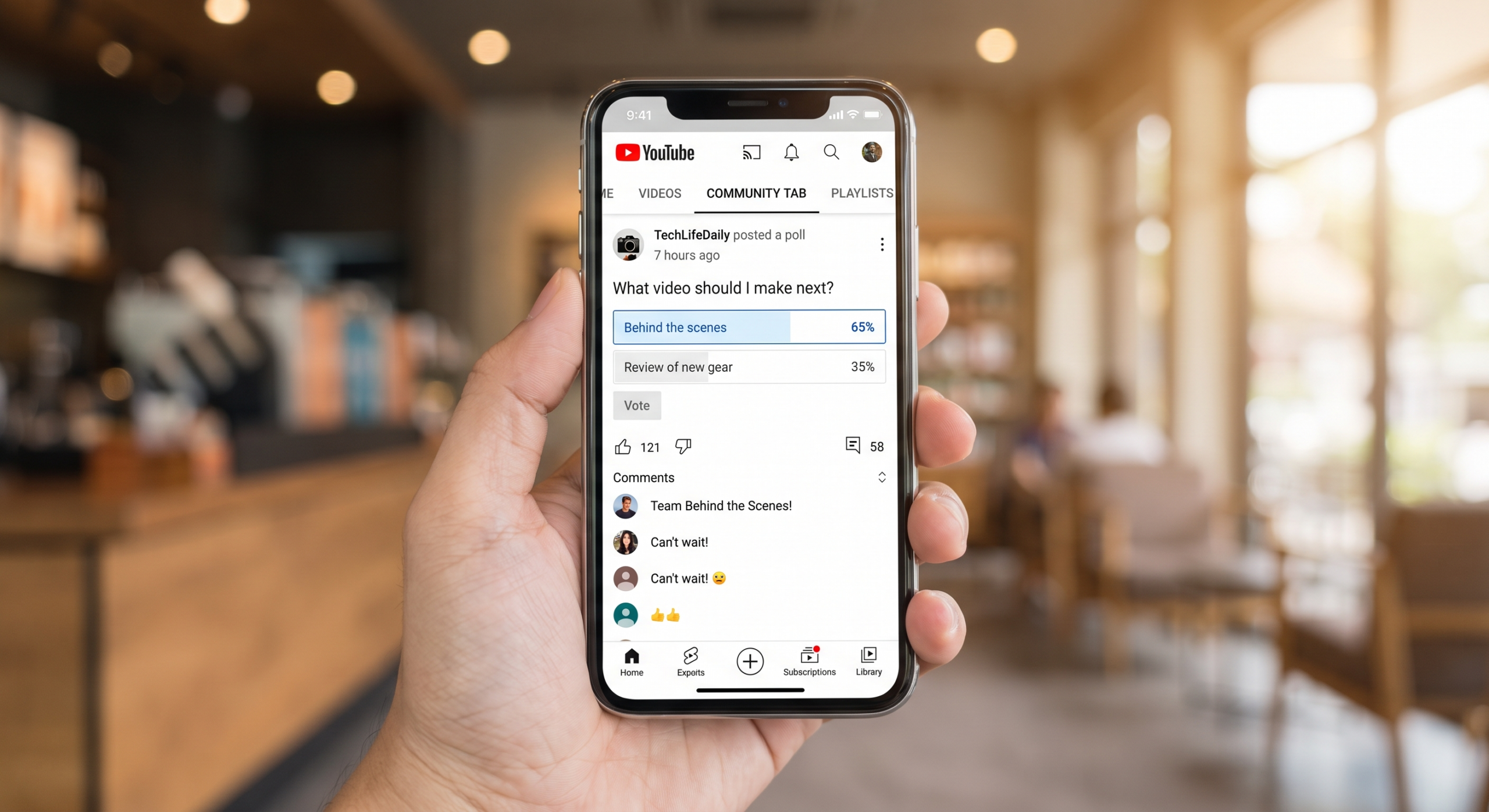
Most YouTube creators focus almost entirely on their video content — and ignore one of the platform’s most underutilized engagement tools. The YouTube Community Tab allows creators to post text updates, polls, images, GIFs, and video previews directly to their subscribers’ feeds, creating a social media-like touchpoint between video uploads. For creators who publish weekly or less frequently, the Community Tab is a way to maintain audience relationships, gather insights, and build the kind of loyalty that translates to higher watch rates and subscription retention. Here’s how to use it effectively in 2026.
What the YouTube Community Tab Is and Who Has Access
The Community Tab is a dedicated tab on your YouTube channel that allows you to publish text-based posts, polls, images, and video links visible to subscribers and channel visitors. Posts appear in subscribers’ YouTube feed alongside suggested videos, giving your content additional touchpoints beyond the algorithm-driven video distribution.
Access Requirements
As of 2026, the Community Tab is available to all channels that have enabled monetization or have reached 500 subscribers. It appears automatically in your YouTube Studio and on your public channel page once the threshold is met. If your channel qualifies but the tab isn’t visible, access YouTube Studio → Settings → Channel → Feature eligibility to check your status.
Post Types Available
| Post Type | Best For | Engagement Pattern |
|---|---|---|
| Poll | Audience research, content decisions | Highest interaction rate |
| Text post | Updates, behind-the-scenes, thoughts | Good for loyal subscribers |
| Image post | Previews, inspiration, visual updates | Moderate interaction |
| Video spotlight | Promoting older or underperforming videos | Drives video views |
| Short preview | Teasing upcoming content | Builds anticipation |
Community Tab Strategy: What to Post and When
An effective Community Tab strategy creates a rhythm that complements your video publishing schedule rather than competing with it.
The 4-Post Framework
Aim for 3–5 Community Tab posts per week. A sustainable rotation looks like: one poll (audience insight or content decision), one behind-the-scenes text or image update, one video spotlight (promoting an older video relevant to a current trend), and one teaser for upcoming content. This rotation maintains a presence in subscribers’ feeds between video uploads without requiring significant additional production effort.
Polls: Your Highest-Engagement Format
Polls consistently generate the highest interaction rates of any Community Tab post type. They’re low-effort for subscribers (one click) and create perceived participation in your channel’s direction. Effective poll topics include content decisions (“Should my next video cover X or Y?”), opinion questions related to your niche, this-or-that comparisons, and yes/no questions about audience habits. Always respond to poll results in your next post or video — this closes the loop and shows subscribers that their input matters.
Behind-the-Scenes Content
Community Tab posts perform best when they offer something subscribers don’t get from your videos — personality, process, and authenticity. Share what you’re working on, a challenge you faced, a book or tool you’re using, or a photo from your filming setup. This content doesn’t need to be polished — in fact, rough and genuine typically outperforms over-produced Community posts because subscribers are accustomed to the high-production standard of your videos.
Using Community Tab for Audience Research
The Community Tab is one of the most underused audience research tools available to YouTube creators. Used strategically, it can inform content strategy, title testing, and niche positioning.
Topic Validation Before Production
Before investing production time in a video, test concept ideas as Community Tab polls. “Would you find a video about X useful?” or “Which of these topics would you most want me to cover next?” can validate or redirect your editorial calendar. Creators who systematically test concepts before producing consistently report higher view rates on published videos.
Understanding Your Audience Demographics and Preferences
Regular Community Tab polls accumulate qualitative audience data that YouTube’s analytics don’t fully provide. “How long have you been watching this channel?” “What’s your primary goal with [niche topic]?” and “What’s your biggest challenge with [relevant problem]?” build a richer audience persona than demographic data alone. This information is invaluable for sponsor pitches and content positioning.
Cross-Promoting and Spotlight Strategy
One of the most practical applications of the Community Tab is driving views to older evergreen videos that have stopped receiving algorithmic traffic.
The Video Spotlight Technique
Identify your top 10 performing evergreen videos using YouTube Studio analytics. Once a week, post a Community Tab update spotlighting one of these videos with fresh framing — a new stat, a recent development in the topic, or a subscriber question the video answers. This technique consistently drives 5–15% additional views to featured videos without requiring any new content production.
Seasonal and Trending Relevance
When a trending news story or seasonal topic relates to one of your existing videos, a Community Tab post with a link is faster and more responsive than producing new content. “With [trending event] in the news, here’s my video that covers exactly this — [link]” creates timely relevance without the production overhead of a dedicated trend-response video.
Growing Your Community Tab Reach
Community Tab posts reach subscribers through their YouTube home feed, but reach can be further amplified through cross-platform strategy.
Teasing Community Posts Across Platforms
Share Community Tab polls and updates on your other social channels with a “vote on YouTube” call-to-action. This drives traffic to your channel, encourages non-subscribers to visit, and creates cross-platform momentum. “I asked my YouTube community whether they prefer X or Y — results might surprise you” is a format that performs well as a tweet, Instagram Story, or TikTok clip.
Notification Strategy
Only subscribers with the bell icon notifications set to “All” receive alerts for Community Tab posts — a smaller subset of your total subscriber base. Focus Community Tab posts on content that rewards your most engaged subscribers rather than trying to maximize general reach. Your highest engagement will come from loyal viewers who actively follow your channel, not casual subscribers.
Frequently Asked Questions
How often should I post on the YouTube Community Tab?
3–5 times per week is the optimal range for most channels. Less than twice a week means the tab feels abandoned; more than daily risks notification fatigue among your most engaged subscribers. Consistency matters more than frequency — a predictable posting rhythm outperforms sporadic burst posting.
Do Community Tab posts affect YouTube algorithm recommendations?
Community Tab engagement doesn’t directly influence video recommendation algorithms. However, Community Tab activity increases the behavioral signal of subscriber engagement with your channel — subscribers who interact with your Community posts are more likely to watch your videos when they appear in recommendations.
Can I schedule Community Tab posts in advance?
Yes. YouTube Studio allows you to schedule Community Tab posts just like videos. This is useful for maintaining consistency during periods when you’re less active, or for timing posts to coincide with video publish times.
What’s the best time to post on the YouTube Community Tab?
Check your YouTube Analytics for the days and times when your subscribers are most active (Audience tab → “When your viewers are on YouTube”). Post Community Tab updates 2–4 hours before these peak windows to maximize feed visibility when subscribers are most likely to be scrolling.
Should I reply to comments on Community Tab posts?
Absolutely — and at a higher rate than you might reply to video comments. Community Tab comment interactions signal to active subscribers that you’re accessible and engaged, which builds the relationship quality that drives long-term loyalty and subscription retention.
Conclusion
The YouTube Community Tab is one of the most effective and underutilized audience relationship tools available to creators in 2026. By posting consistently across poll, text, image, and spotlight formats, creators maintain subscriber relationships between video uploads, gather actionable audience insights, and drive additional views to their best existing content. The creators with the most loyal, high-retention audiences aren’t just producing great videos — they’re using every available touchpoint to build genuine community. The Community Tab is the most accessible of those touchpoints, and it’s free.